
Nivalis Nights PC Requirements and Performance Help
Nivalis Nights' official requirements describe specific resolution and graphics-preset targets. They are an official engineering guideline rather than a guarantee of the same frame rate on every hardware configuration. Both official tiers render at native resolution without upscaling. If your system experiences low frame rates, lower the graphics preset first rather than searching for non-existent DLSS/FSR settings.
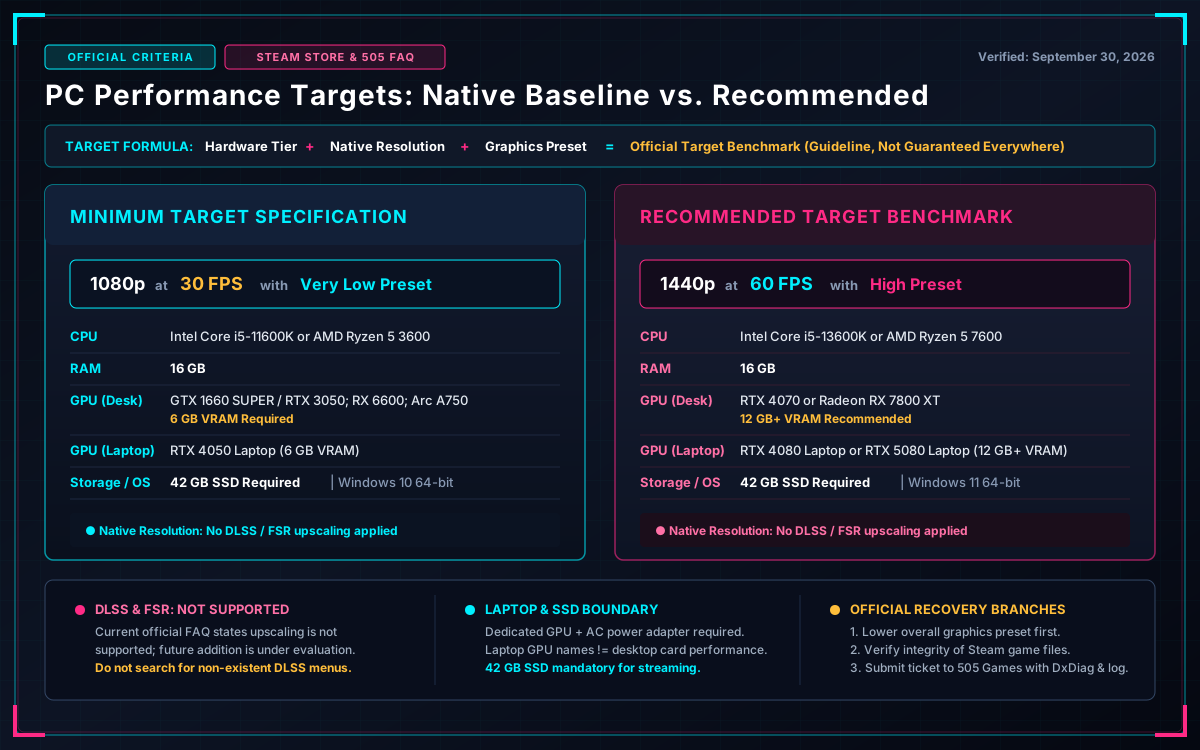
Official Hardware Requirements & Target Targets
Check your hardware, graphics preset, and storage setup together before comparing your PC against the official targets:
| Requirement | Minimum Target | Recommended Target |
|---|---|---|
| Official Target | 1080p, 30 FPS, Very Low preset | 1440p, 60 FPS, High preset |
| Upscaling Support | Native resolution (No DLSS / FSR) | Native resolution (No DLSS / FSR) |
| Operating System | Windows 10, 64-bit | Windows 11, 64-bit |
| CPU | Intel Core i5-11600K or AMD Ryzen 5 3600 | Intel Core i5-13600K or AMD Ryzen 5 7600 |
| System RAM | 16 GB | 16 GB |
| Desktop GPU | GTX 1660 SUPER or RTX 3050; Radeon RX 6600; Intel Arc A750 (6 GB VRAM) | RTX 4070 or Radeon RX 7800 XT (12 GB VRAM or more) |
| Laptop GPU Reference | RTX 4050 Laptop (6 GB VRAM) | RTX 4080 Laptop or RTX 5080 Laptop (12 GB+ VRAM) |
| Storage | 42 GB; SSD required | 42 GB; SSD required |
| DirectX | Version 11 | Version 11 |
Both targets use native rendering without upscaling. Laptop GPUs should not be assumed to perform like desktop cards sharing a similar name. These targets are not independent tests by this website. Last verified September 30, 2026; recheck the live Steam Store listing (opens in new tab) if hardware criteria change with future patches.
Start with the Right Troubleshooting Branch
Identify your symptom below to follow the verified recovery path:
-
Your system is below a listed conditionTreat the official performance target as unsupported for your hardware configuration. Frame rates cannot be reliably predicted from a single component name if your CPU or VRAM does not meet the minimum tier.
-
Your hardware meets the requirements but performance is lowLower the overall graphics preset first before adjusting individual visual sliders. The official FAQ recommends updating your graphics drivers and closing background applications (such as browsers, recording software, or heavy overlays). These are supported starting points, not proof that a specific issue is resolved.
-
You are playing on a laptopEnsure your laptop is plugged directly into wall AC power and that your dedicated graphics card (dGPU) is selected in Windows Graphics Settings. The official FAQ suggests selecting Windows' Best Performance power mode. Do not infer desktop-level performance from a mobile GPU product name.
-
The game is not launching or crashes during playIn the Steam client, right-click Nivalis Nights in your Library → choose Properties → navigate to Installed Files → click Verify integrity of game files. Restart your PC if files were reacquired. Do not delete your save files or apply untested third-party registry scripts.
-
The problem persists after initial checksSubmit a direct technical support ticket using 505 Games' official support form (opens in new tab) . Include a detailed description of what occurred, reproduction steps, your complete PC specifications (DxDiag report), and crash log files if available.
DLSS, FSR and Upscaling Technologies
The current official FAQ published by 505 Games confirms that DLSS, FSR, and other image reconstruction upscalers are not supported in the initial release. Future integration is under active evaluation by the development team, but no delivery date has been announced. Advice recommending you turn on DLSS/FSR in in-game menus is inaccurate for the launch build.
Steam Deck Boundary
The launch announcement clarifies that full Steam Deck support is not available at launch. Desktop PC system requirements do not establish Deck frame rate stability. Refer to the homepage's dated Steam Deck summary for ongoing status updates. Do not rely on unverified "best Deck settings" tables claiming universal 60 FPS.
← Return to Nivalis Nights Homepage Overview